


Did you know that you can create your own covers for your iPhone or iPad? I've been working on a genealogy design that features either a family tree (my own of course!) or a collage of ancestor photos so that I can give my kids a custom cover for Christmas.
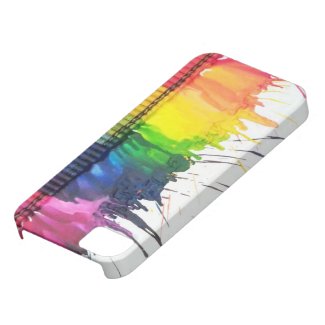
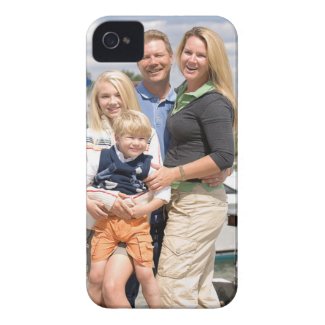
At Zazzle you can create a custom cover or buy one of their ready-made designs. Here's a few examples:
Disclosure: I was given a gift certificate to Zazzle.com for my time and participation

Updates about Olive Tree Genealogy website and other FREE genealogy records. Bringing you tutorials, genealogy book and app reviews, genealogy news, genealogy specials and more. Helping you find your family tree and ancestors.
Showing posts with label iPhone. Show all posts
Showing posts with label iPhone. Show all posts
November 16, 2012



October 26, 2011
New iPhone 4S Arrived Safely!
 |
| My new iPhone 4S with lime-green bumper guard |
I'm going to have fun trying out the new SIRI capabilities on the iPhone 4S and am super excited about it! Since I'm upgrading from a 3GS to the 4S there are lots of new features for me.
Like Facetime. A front facing camera... and I'm sure much more.
To add to this day of pleasure, my new computer arrived this morning and my local tech guy came and spent 3 hours setting it up, adding a different more powerful router, re-doing my network system and making sure all my networked computers and devices were co-operating with one another.
Now it's up to me to learn Windows 7 - my new OS! Hmmm which to tackle first? My iPhone or my new computer. Oh sheesh it's a no-brainer - my iPhone 4S of course! Please send coffee and donuts if I don't surface by supper time.....
September 9, 2011
Internet Tethering my iPhone to my MacBookAir - Lifesaver!
Yesterday our wireless internet stopped working. We subscribe to Rogers in Ontario Canada and every so often it conks out on us. Because I can’t easily blog or upload files to my websites using my iPhone or iPad, it’s a major inconvenience. I use my main computer (Windows) and my MacBookAir to write blog posts, upload files, check email and so on.
Usually I grumble and moan until the service starts working again but this time it’s been a full 24 hours with no wireless in sight. When I complained about the lack of internet on Facebook, friends jumped in with advice. One friend said I should try creating a personal hotspot with my iPhone so that I could work from my MacBookAir. I had no idea what she meant but I immediately googled it to find out. Boy did I get an awakening!
 It seems my iPhone (3GS) has the capability to do internet tethering (aka personal hotspot on other phones). If my service provider allows it, I read that I could jump my iPhone (or iPad) 3G service to my MacBookAir (or even my Windows XP or Windows 7 computer). This sounded very cool!
So I started on my quest. It was super easy. Within 10 minutes I was online via 3G but on my MacBookAir. Phew, sigh of relief although I do have very limited data transfer sizes - only 1GB per month on my iPhone. But it’s better than nothing! I don’t want to go over as each GB extra costs about $40.00. But at least I can work offline, as I am doing for this blog post which I’m writing in Pages. Then I’ll connect via Internet Tethering from my iPhone and upload the post to the blogger platform.
Here’s how I did it:
In my iPhone, open SETTINGS
Go to GENERAL and choose NETWORK then INTERNET TETHERING. Turn Tethering ON
iPhone then provided me with two options - tether via USB (plug iPhone into USB port of computer) or via Bluetooth.
I could not get the USB option to work. My iPhone tells me to plug my phone into my computer (done) the choose iPhone from the list of network services in my settings. Sound easy but I have no option for “iPhone”. I looked everywhere but no dice. After 15 minutes of frustration I decided to go Bluetooth.
Bluetooth was super easy. I turned on Bluetooth on my phone. When I went to pair my phone with my MacBookAir a security code popped up on my computer and my phone. I then told my MacBookAir that yes, the codes were identical and yes, I did want to pair the two devices together. The two devices were paired and I was able to function on my MacBookAir using my iPhone’s 3G service.
I did have to create a PAN (Personal Area Network) but it was not difficult at all, my computer walked me through it.
If you decide to try this, here’s one more tip. When I shut down and then went back online on my MacBookAir, the two devices could see each other but wouldn’t connect.
 I kept getting a notice saying it was taking too long and to be sure both had bluetooth turned ON and that they were in range of each other. I knew that wasn’t the problem so I poked around on my MacBookAir until I finally discovered that inside the little icon for settings below the network choices in my settings, was an option to join a specified network. In this case it was the PAN I’d previously created. It shows in the graphic as Administrator’s iPhone, right above my Jambox by Jawbone
I have mixed feelings - my wireless internet is still not functioning so that makes me stressed, frustrated and slightly worried. But at least I can connect occasionally via Internet tethering and that reduces some of my stress!
By the way if anyone knows how I can internet tether from my iPhone 3GS to my MacBookAir via USB, please let me in on the secret!
Usually I grumble and moan until the service starts working again but this time it’s been a full 24 hours with no wireless in sight. When I complained about the lack of internet on Facebook, friends jumped in with advice. One friend said I should try creating a personal hotspot with my iPhone so that I could work from my MacBookAir. I had no idea what she meant but I immediately googled it to find out. Boy did I get an awakening!

So I started on my quest. It was super easy. Within 10 minutes I was online via 3G but on my MacBookAir. Phew, sigh of relief although I do have very limited data transfer sizes - only 1GB per month on my iPhone. But it’s better than nothing! I don’t want to go over as each GB extra costs about $40.00. But at least I can work offline, as I am doing for this blog post which I’m writing in Pages. Then I’ll connect via Internet Tethering from my iPhone and upload the post to the blogger platform.
Here’s how I did it:
In my iPhone, open SETTINGS
Go to GENERAL and choose NETWORK then INTERNET TETHERING. Turn Tethering ON
iPhone then provided me with two options - tether via USB (plug iPhone into USB port of computer) or via Bluetooth.
I could not get the USB option to work. My iPhone tells me to plug my phone into my computer (done) the choose iPhone from the list of network services in my settings. Sound easy but I have no option for “iPhone”. I looked everywhere but no dice. After 15 minutes of frustration I decided to go Bluetooth.
Bluetooth was super easy. I turned on Bluetooth on my phone. When I went to pair my phone with my MacBookAir a security code popped up on my computer and my phone. I then told my MacBookAir that yes, the codes were identical and yes, I did want to pair the two devices together. The two devices were paired and I was able to function on my MacBookAir using my iPhone’s 3G service.
I did have to create a PAN (Personal Area Network) but it was not difficult at all, my computer walked me through it.

I have mixed feelings - my wireless internet is still not functioning so that makes me stressed, frustrated and slightly worried. But at least I can connect occasionally via Internet tethering and that reduces some of my stress!
By the way if anyone knows how I can internet tether from my iPhone 3GS to my MacBookAir via USB, please let me in on the secret!
April 26, 2011
iPhone App Rama Looking for Writers for Historical Tours
This Press Release intrigued me. Could genealogists utilize this app for iPhone or create walking genealogy tours? I'd love to hear from any readers who decide to apply - just post a comment here on my blog and let us know.
Past Preservers is looking for passionate writers who can utilise the iPhone app, Rama, to make history come alive |
| 04-21-11 - Press Release Cumbria, United Kingdom, Europe |
Past Preservers is working with Crimson Bamboo to develop historical tours for iPhone app, Rama. Uniting popular history with archival photographs, Rama adds a historical narrative to the walking tour and shows snapshots of the tour route as it actually appeared. Named by BBC Travel in 2010 as one of the ten best new travel apps, Rama is the only app that captures the experience of being in Chicago after the Great Fire, on the beaches of Normandy during D-Day, or in Shanghai’s French Concession in the roaring 20s. If you would like to be involved with creating tours for Rama, send us an email about yourself and your tour idea to info@pastpreservers.com Whether it’s a jaunt through your university’s past, or a recreation of the recent protests and political reform in Egypt, if you make the idea sound compelling, we’ll give you the tools to make it into a tour. |
Related Link: http://pastpreservers.blogspot.com/2011/04/make-money-writing-historical-tours-for.html |
Contact Information: |
| Nigel Hetherington Past Preservers 2 North Street Carlisle Cumbria, CA7 1BP |
March 14, 2011
So Many Apps, So Little Time!
Do you like to be notified via your iPhone or iPad the minute someone mentions you on Twitter, or sends you a message or comments on something you posted or liked on Facebook? Do you hate the normal push notifications on your iPhone or iPad?
If yes, then you might like this little (free) app I recently installed on my iPhone and iPad. It's called Boxcar and it's been around for awhile. I didn't hear about it until November when I read a review on TechCrunch
I'm always on the lookout for a good app. There are so many that sometimes I feel it's impossible to make a choice! So I like to find reviews by people or companies I trust and then try the app myself.
I downloaded Boxcar from the App Store last month and set it up for my Twitter and Facebook accounts. I really like it. I can't tell you it has a lot of specific genealogical uses but there are so many iPhone and iPad apps that I thought I'd share one I use and like. And no, I don't get paid anything to promote Boxcar, I just like it!
You can set Boxcar up to send you instant notifications on your Email accounts, RSS feeds (so you could get notified when your favourite genealogy blogs are updated), Foursquare and many other services.
There's also a paid upgrade to Boxcar which eliminates ads but they're very unobtrusive in a bar across the bottom of your device - so for me that's not a big deal.
If you try Boxcar and you think of a great way to use it to help with genealogy, please let me know by way of a comment here on my blog. I'm always looking for ways to incorporate my iPhone or iPad apps into my love of genealogy.
If yes, then you might like this little (free) app I recently installed on my iPhone and iPad. It's called Boxcar and it's been around for awhile. I didn't hear about it until November when I read a review on TechCrunch
I'm always on the lookout for a good app. There are so many that sometimes I feel it's impossible to make a choice! So I like to find reviews by people or companies I trust and then try the app myself.
I downloaded Boxcar from the App Store last month and set it up for my Twitter and Facebook accounts. I really like it. I can't tell you it has a lot of specific genealogical uses but there are so many iPhone and iPad apps that I thought I'd share one I use and like. And no, I don't get paid anything to promote Boxcar, I just like it!
You can set Boxcar up to send you instant notifications on your Email accounts, RSS feeds (so you could get notified when your favourite genealogy blogs are updated), Foursquare and many other services.
There's also a paid upgrade to Boxcar which eliminates ads but they're very unobtrusive in a bar across the bottom of your device - so for me that's not a big deal.
If you try Boxcar and you think of a great way to use it to help with genealogy, please let me know by way of a comment here on my blog. I'm always looking for ways to incorporate my iPhone or iPad apps into my love of genealogy.
Subscribe to:
Posts (Atom)